
Security camera installation for a law office in or near New York, NY, covers the office entrance, reception, internal corridors and the doors to the file room and network closet. Cameras record pictures only, with microphones disabled, and none is ever aimed into an attorney's office or a room where a client meets counsel. ClearMax technicians mount the cameras and the recorder on site as part of the buildout, and the firm keeps ownership of the system, the footage and every login.
Last updated: November 2026
Questions the footage has to answer
A law office camera system earns its keep by settling ordinary disputes after the fact. Who signed for the box of exhibits on Thursday afternoon. Who was on the floor at eleven at night when the alarm company called. Who opened the file room on the Sunday before a filing deadline. Every one of those is a question about a door and the people passing it, so that is what the cameras are placed to see:
- The office entry, looking at people as they come through it, plus the corridor side if the managing agent permits a camera there.
- Reception, with the desk and the chairs in view so arrivals, couriers and visitors are all recorded.
- File room and closet entrances, matched to the card readers described on the access control page, so a name in the reader history has an image beside it.
- Secondary doors: a service entry, a fire stair, or the internal stair between two floors of the same firm.
Lobbies, elevators and loading docks in a New York office tower nearly always belong to the building, which runs its own security desk. The firm's system starts at its own threshold. Keeping it there keeps it small and limits the footage the firm is answerable for to the footage it genuinely needs.
Rooms that stay off camera
Lawyers' offices, conference rooms, witness and interview rooms, and anywhere else counsel and client talk. Those spaces exist so that a conversation can stay confidential, and a recording of one is a record nobody should ever have to explain. Restrooms, a lactation room and staff break areas are excluded for the same reason: people reasonably expect privacy there.
The test is the picture, not the bracket. Glass-fronted offices and glass conference rooms are common on newer Manhattan floors, and a corridor camera mounted in an innocent spot can look straight through one. So each camera's final view is checked live on site. Anything that reaches into a meeting space is re-aimed or blacked out with a privacy mask in the camera's own settings, and that masked view is saved as an image for the handover file.
Sound: why every microphone is disabled
People often say New York is a one-party consent state. The statute's own definition shows what that does and does not cover. New York Penal Law 250.00 defines mechanical overhearing of a conversation as recording a conversation without the consent of at least one party, by a person not present. The definition turns on the consent of at least one party to the conversation. A reception microphone records people talking to each other, none of them from the firm and none of whom agreed, so the consent the definition looks for is missing.
The rule on these projects is therefore simple. Microphones are turned off in the camera and again in the recorder, and the handover file records that setting for each camera individually. Plenty of models leave the factory with audio on, so nothing is assumed. Changing the default takes a written decision by the firm, taken with its own lawyers. This explains an installation choice and is not legal advice.
Picking the cameras
Most law office cameras are compact ceiling domes, picked for three qualities. First, a lens wide enough to take in a door and the floor in front of it without spilling into the next room. Second, enough detail to recognize a face at the entry, which matters more than sweeping a large space. Third, a clear picture in low light, because corridors are dim at night and that is when most questions arise. A reception camera is positioned to catch faces as people walk in, rather than the crowns of heads from straight above.
The count follows the doors that matter, not a target number. Most law offices need only a short list, and each extra camera adds a view to check, a stream to store and an image the firm becomes responsible for.
Where the recordings live
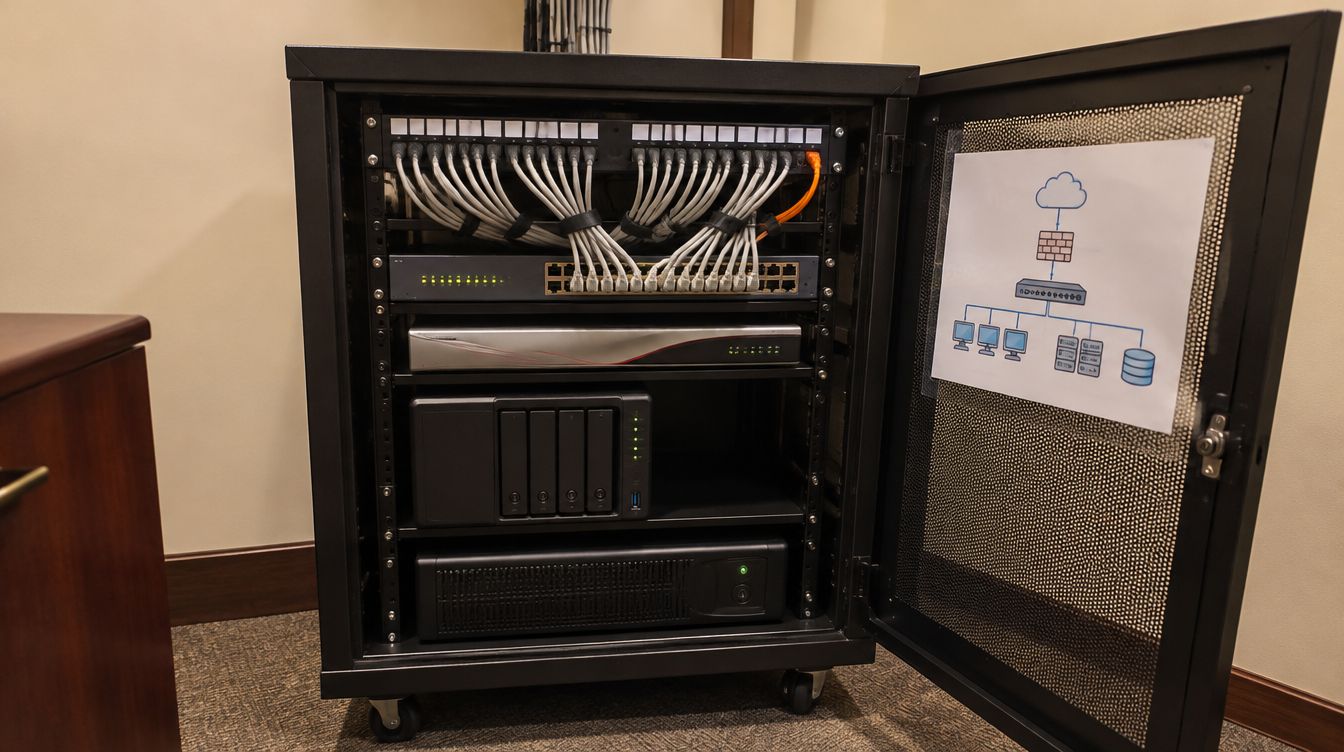
Recordings go to a network video recorder installed in the firm's own locked closet. Because the recorder is the firm's equipment, inside the firm's office, the footage never sits on a service the firm does not control. The recorder draws power from the closet battery, keeps accurate time so that timestamps can be trusted in a dispute, and has its drive health checked before handover.
New York law gives a reason to think about how long it keeps footage. General Business Law 899-aa says any person or business which owns or licenses computerized data which includes private information shall disclose any breach of the security of the system, and notice must be made within thirty days after the breach has been discovered, subject to the law-enforcement exception. The statute concerns computerized data, so a firm trying to establish who reached the closet that holds its electronic records needs footage that still exists when the question is asked; the file room camera serves the firm's own review. Problems also surface late in ordinary life: a laptop missed after a holiday, a delivery disputed weeks on, a visitor's claim that a document was handed over. A recorder that overwrites itself within days answers none of them.
So the firm picks how many days to keep, the recorder's disks are sized to match, and the chosen period appears in the handover file. Keeping more days means more disk and more footage to secure. Keeping fewer means less to protect and less history to consult. Both are sound when someone has actually decided, rather than leaving the factory setting.
Viewing rights and exports
Viewing is limited to as few people as the firm can manage:
- each person who may view has their own named login, and no shared account is created;
- permission to view and permission to export are granted separately, so taking a clip off the system is never an accident;
- access from outside the office is enabled only on the firm's request, and only through the firm's own secure connection;
- the administrator login is registered to the firm and handed over at completion.
Every camera has a cable to the firm network and takes its power from the closet switch. No camera ever joins visitor WiFi, and each factory password is replaced before the camera is switched on for real. The firm owns the system and its footage.
New York's safeguards statute describes measures like these in general terms. General Business Law 899-bb lists reasonable physical safeguards, including detecting, preventing and responding to intrusions and protecting against unauthorized access to private information. Entrance and closet cameras are one piece of that for a law firm, next to its doors, its written policies and the technical controls on its systems. A camera system is not a safeguards program by itself, and the firm's counsel decides what its program needs.
Cameras and the firm's insurer or alarm company
Some firms carry an office policy or an alarm contract that asks about cameras at the entrance. Where that applies, the handover file shows the insurer or the alarm company where each camera is, what it sees and how long footage is kept, without giving either of them access to the recorder.
Offices with their own exterior door
A firm thirty floors up seldom needs anything outside. A firm in a ground-floor space, a townhouse or a brownstone with its own front door often does. Exterior units are chosen to cope with summer heat, winter cold, rain and glare, fixed out of easy reach, and pointed at the firm's own entrance, never at the sidewalk or into a neighbor's windows. Where a landlord or a co-op board controls the facade, its sign-off comes first, and some buildings forbid fixing anything to the exterior.
When the power drops, the recorder and the camera switch keep running on the closet battery, so a short cut leaves no hole in the recording. A long one ends in an orderly shutdown instead of a corrupted disk.
The handover file
- A floor plan with a number beside every camera.
- A saved image of each camera's final view, masks included.
- A per-camera confirmation that the microphone is disabled.
- The number of days the recorder keeps, and the disk capacity behind that figure.
- The list of logins, marked view-only or view-and-export.
A partner or the office manager signs the view images, confirming that none of them reaches into a meeting room. When furniture or partitions move later, those signed images are the benchmark for checking the new views.
Adding cameras to an office already in use
Each camera is cabled back to the closet, normally above the ceiling over one or two evenings, which is why cameras are usually drawn together with the structured cabling. In an occupied office the work follows the building's contractor hours. Pricing comes from the floor plan and a few photos of the ceilings and the closet. Should the job prove bigger once a ceiling is open, the firm hears about it and approves a revised price before that work goes ahead.
What New York firms ask about cameras
Should we post a notice?
Many firms put a brief sign at the entry and at reception. The wording is up to the firm.
Could reception record audio if we wanted it?
Not under these projects' default. Microphones stay disabled unless the firm decides otherwise in writing, with its lawyers.
Do staff need to be told?
Yes. Most firms add a paragraph to the staff handbook naming where cameras are, stating that they record pictures only, and saying who may view footage.
Can the cameras from our current office come with us?
Sometimes. Each one is reviewed for its view, its microphone setting and whether its maker still issues security updates for it.
If we move again, what happens to the recordings?
They belong to the firm, as do the recorder and its logins. Any clips worth keeping can be exported before the equipment is taken down.